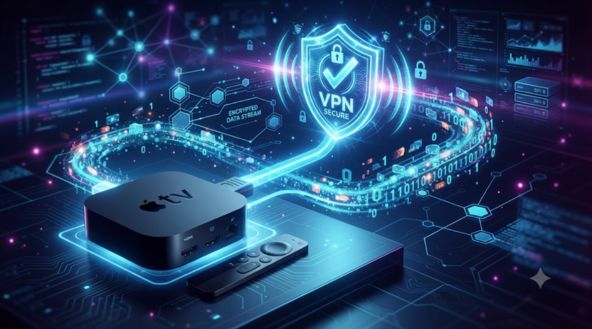
Apple TV makes streaming simple, but your viewing connection still needs protection. A good VPN can encrypt your internet traffic, protect your IP address, and offer more flexibility when travelling. The challenge is finding one that supports your Apple TV model, maintains streaming speeds, and is easy to manage.
What should you check before choosing an Apple TV VPN?
Native App Support
Choose a VPN with a dedicated tvOS app. Apple TV HD and Apple TV 4K models running tvOS 17 or later support direct VPN installation.
Streaming Speeds
Look for fast servers and modern VPN protocols. For 4K streaming, a stable connection and sufficient bandwidth matter more than advertised maximum speeds.
Privacy Protection
Check encryption standards, server infrastructure, and logging policies. A reliable VPN should protect your IP address and prevent other network users from monitoring your streaming activity.
What makes Surfshark a practical VPN choice for Apple TV?
Direct Installation Without Router Changes
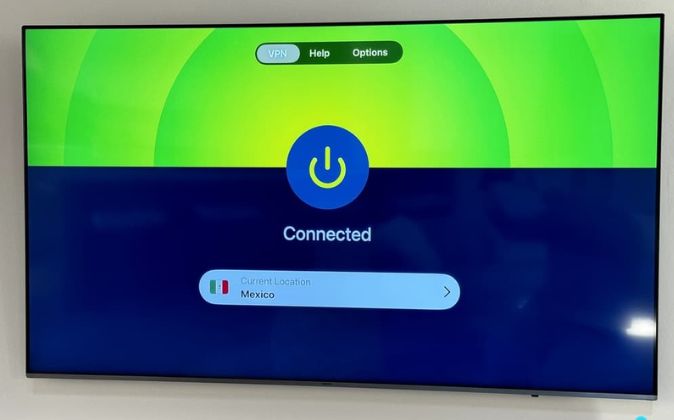
Surfshark supports direct installation on Apple TV HD and Apple TV 4K devices running tvOS 17 or later. You can download its app from the App Store, sign in, choose a server, and approve the VPN configuration. This removes the need to change router settings.
Surfshark advertises more than 4,500 servers across 100 countries. This gives Apple TV users several location options when travelling or connecting to a preferred server. For example, someone travelling abroad can try a server in their home country. However, streaming platforms can still restrict VPN connections.
Surfshark uses ChaCha20 encryption and RAM-only server infrastructure, according to its product information. Encryption helps prevent your internet provider and other network observers from reading your traffic. RAM-only servers are designed to erase stored information when restarted. These features add privacy, although they do not make every online activity anonymous.
Surfshark advertises 10Gbps servers designed to support demanding online activities, including 4K streaming. Its lightweight VPN protocols also aim to maintain stable connections during longer viewing sessions. However, actual performance depends on your internet plan, server distance, network congestion, and Apple TV settings. A nearby server is usually a sensible starting point.
Older Apple TV models cannot install the Surfshark app directly. You can instead configure a compatible VPN router and connect your Apple TV to that network. One important detail: Surfshark discontinued its SmartDNS feature on February 2, 2026. So, older-device users should consider router compatibility before subscribing.
Illustrative user scenarios: The following are sample experiences based on common Apple TV use cases, not verified customer testimonials.
Daniel Brooks – IT Consultant
I travel frequently and need consistent streaming access. Having a VPN on Apple TV makes protecting my connection easier without changing router settings.
Michael Turner – Business Traveller
I appreciate the option to connect multiple devices through one account. The router setup for older Apple TVs, however, requires additional technical work.